

☰

Personal Care for Your Mac
Genuine Apple Parts Apple-Certified Repairs
 Walk-ins welcome
Apple-trained technicians
We use Apple diagnostics to help pinpoint what’s wrong with your Mac. Then we explain what we find and walk you through your repair options.
Personalized Consulting
Bring your list of Mac questions or issues. We’ll help with setup, everyday Mac use, online security, and recovering photos or important files.
Get Your Mac Back Working the Way It Should
Cracked screen? Battery draining fast? Mac won’t start? Bring it in. We’ll diagnose the issue and walk you through your repair options.

Core Care Support
Core Care provides these services directly to help with your software, files, and everyday Mac setup.
Software & Security
Get help with Mac login password recovery, a slow Mac, apps that quit, unwanted pop-ups, or suspected malware.
Photo & File Recovery
Missing photos or important files? We’ll assess what may be recoverable from your Mac or an external drive.
Setup & Data Migration
Get comfortable with a new Mac, move files from your old computer, or set up a backup.
Get Your iPhone Back Working the Way It Should
Cracked screen, battery draining fast, or an iPhone that won’t charge? Bring it in. We’ll take a look and explain the repair options for your model.
We can also check whether AppleCare+ or the Apple Limited Warranty may cover the repair.

Walk-ins welcome
Mon–Fri, 9:30 AM–6 PM
Booked through Apple? Here’s what to expect.
Most iPhone repairs take two visits. At your first visit, we’ll check your iPhone, explain your repair options, and order the parts needed. Once the parts arrive, we’ll let you know when to come back for the repair.
On a tight schedule? Give us a call before you come in.
Prepare for Service
A quick checklist before you bring in your Mac, iPhone, or iPad.
Back Up Your Device
Make a fresh backup. A repair may require erasing the device or replacing its storage. If you use iCloud on your iPhone or iPad, check that syncing has finished.
Get Find My Ready
Ask us which Find My step applies to your repair. For eligible repairs on version 27 or later, you can use Ready for Repair or Trade In. On version 26 or earlier, you may need to turn off Find My for service.
Bring What We’ll Need
Bring your device, the power cable for your Mac, and any accessory related to the issue. Bring a photo ID and your sales receipt if you have it. If you booked through Apple, keep your confirmation handy.
Protect Your Accounts
Keep your Apple Account password and device passcode private. If you need to sign in during service, enter them yourself. For iPhone or iPad, Apple’s checklist also covers Wallet and unfinished repairs.
Can’t back up or turn on your device?
Call us before you come in. We can discuss backup options or assess whether data recovery is possible.
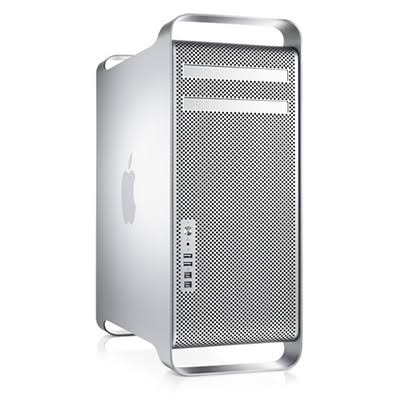
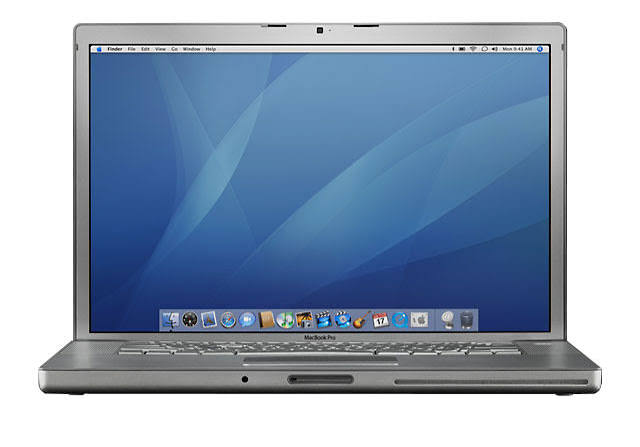
Vintage Mac Service
Your older Mac may still have plenty of life left
We service many older Mac models, even when Apple no longer offers certain parts or repairs.
Options depend on the model and parts availability

We Support All Apple Products

Expert Support at Home or Work
Convenient Macintosh assistance for homes and businesses
On Site Consulting
Mac setup, networking, troubleshooting, security, and training at your home or office.
Pickup & Delivery
We can arrange to transport your Mac to and from our Sacramento service center.
Need help with something else while we're there? Ask about arranging additional on site technical assistance. Consulting and transportation are separate services.
Visit Core Care
Serving Sacramento since 2005.
Walk-ins welcome
Monday–Friday, 9:30 AM–6 PM
Find us
2340 Harvard StreetSacramento, CA 95815

Reviews and Repair Status
Customer Reviews
See what customers say about their experience with Core Care on Google and Yelp.
Been in for service? We’d love to hear about your experience.
Check the Status of Your Repair
We’ll text you your Apple repair number (Repair ID) once it’s created. On Apple’s repair page, sign in to My Support with the Apple Account you used for your repair.
Need your repair number? Call Core Care at (916) 567-1260 and we can provide it.